Many times we need to convert our PDF documents into JPG image format. Whether it is a certificate, assignment or sharing documents on social media – JPG format is the most useful and universal. In such a situation, the easiest and fastest way is – PDF to JPG Converter Online.
Why convert PDF to JPG?
Easy Sharing – JPG format can be easily shared on WhatsApp, Email and Social Media.
Universal Format – Every device supports JPG.
Lightweight File – JPG size is small, so it is easy to upload and share.
Specific Page Conversion – You can convert any page of PDF into JPG image
Method to convert
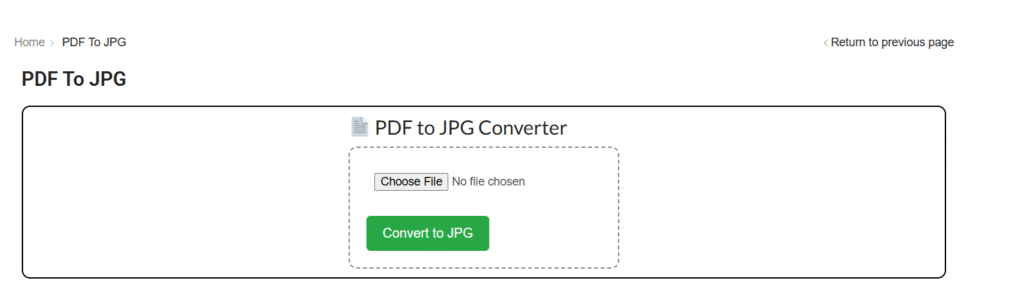
Go to Tool and select “PDF to JPG” option.
Upload your PDF file.
Select whether you want to convert the entire PDF to JPG or just specific pages.
Click on the “Convert” button.
In a few seconds, the PDF pages will be converted to JPG images.
Download the converted images.
Things to keep in mind while converting
If you want high quality images, then select the best quality in the conversion settings.
Compress large size PDFs before converting them.
Convert PDFs with sensitive data only on a trusted tool.
If there are multiple pages, then the converted images can be downloaded in a Zip file.
Final Words
If you want to convert your PDF documents into a lightweight and easy-to-share format, then PDF to JPG Converter Online is the best solution.
Youtube tag generate online YouTube Tag Generate – Free Online Tool If you make YouTube videos, then you will know how important it is to... Continue reading
word count online Word Count Online – Counting words in a document Sometimes we need to know how many words are there in our document,... Continue reading
online typing test exam Typing Test Exam Online – Check your Typing Speed and Accuracy In today’s digital era, Typing Skill is important for every... Continue reading





Add comment