PDF to Word Online – Convert PDF to Editable Word File
PDF format is used everywhere today because it is secure and universal. But sometimes we have to edit PDF, change text or update content in it. In such a situation, the easiest way is – PDF to Word Converter Online.
Why convert PDF to Word?
Editable Format – Word File (DOC/DOCX) can be easily edited.
Time Saving – There is no need to do manual typing.
Easy Formatting – Tables, Images and Text Formatting can be done easily in Word.
Reuse Content – Word conversion is better than direct copy pasting from PDF.
How to convert
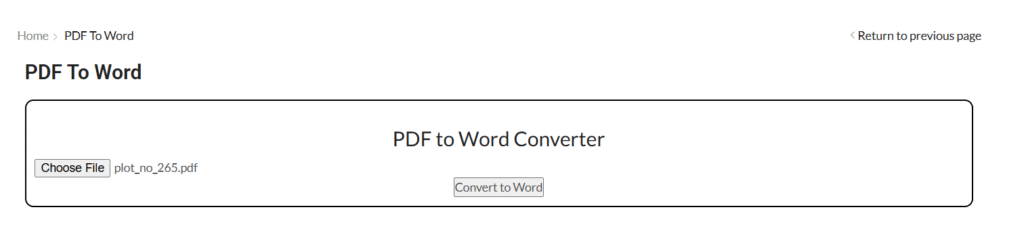
Go to the tool and select “PDF to Word” option.
Upload your PDF file.
The tool will automatically convert your PDF to Word.
Click on the “Convert” button.
In a few seconds, the PDF file will be converted into an editable Word file (DOC/DOCX).
Download the converted file.
Things to keep in mind while converting
If the PDF is scanned, use a tool with OCR (Optical Character Recognition) feature.
Manual editing may be required after converting files with complex tables and graphics.
Always use trusted tools so that the data remains safe.
Compress large files before converting them.
Final Words
If you want to convert PDF into an editable format, then PDF to Word Converter Online is the best solution.
Youtube tag generate online YouTube Tag Generate – Free Online Tool If you make YouTube videos, then you will know how important it is to... Continue reading
word count online Word Count Online – Counting words in a document Sometimes we need to know how many words are there in our document,... Continue reading
online typing test exam Typing Test Exam Online – Check your Typing Speed and Accuracy In today’s digital era, Typing Skill is important for every... Continue reading





Add comment